Recently I stumbled upon a Java Rich Client pentest project. Fortunately, the communication was made via HTTP, so it was possible to manipulate requests and response with our favorite tool, Burp.
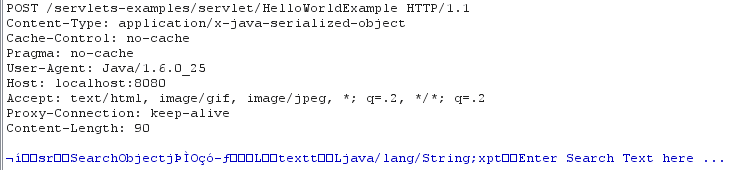
Unfortunately, the app has been transmitting data in serialized Java format. So the intercepted requests and responses look like this:
After a little bit of Google searching, I came across this very well-written article about Java serialization and tried out his tool: BurpDSer. After scratching my head off for a few hours, installing dependencies, and still not getting it to work (there’s some problem with IRB Shell not popping up), I began searching for alternative solutions. Luckily I found this excellent SANS blog which outlined high level steps to make a Burp Deserialization plugin. So I put together a simple implementation of that idea. I hope it will be helpful for pentesters as well as developers in dealing with serialized Java applications.
In this blog post, I will cover following information:
BurpJDSer is a Burp plugin that will deserialize/serialize Java request and response to and from XML with the help of Xtream library. BurpJDSer utilizes native Java technology to deserialize/serialize Java request, thus no additional software is required.
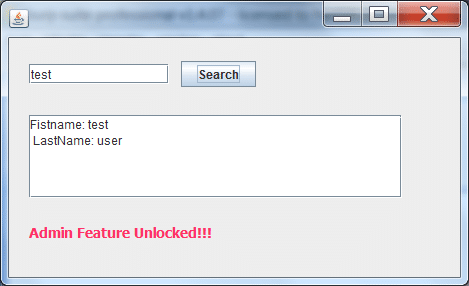
Let’s consider this dummy Java app that communicates with a servlet via HTTP. It’s a very simple search box which sends SearchObject to a server. Server responses with a SearchResult object back. If it indicates that client has admin privilege, the gray text will become red.
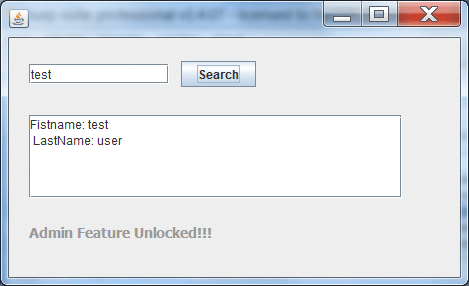
Figure 1: Sample Client
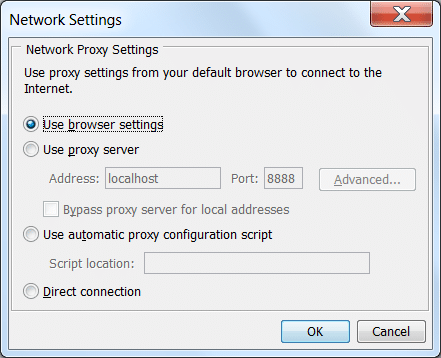
Figure 2: Configure Java Network Settings on Windows
Also consider these instructions from Burp author if the above method fails to intercept HTTP traffic:
https://blog.portswigger.net/2009/04/intercepting-thick-client.html
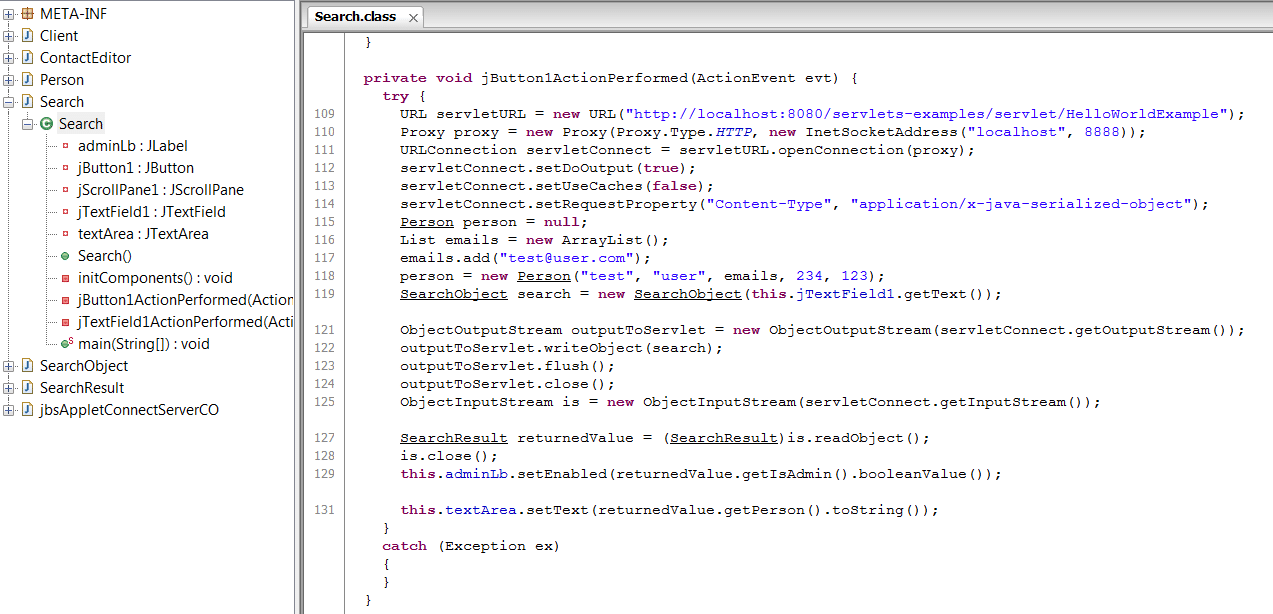
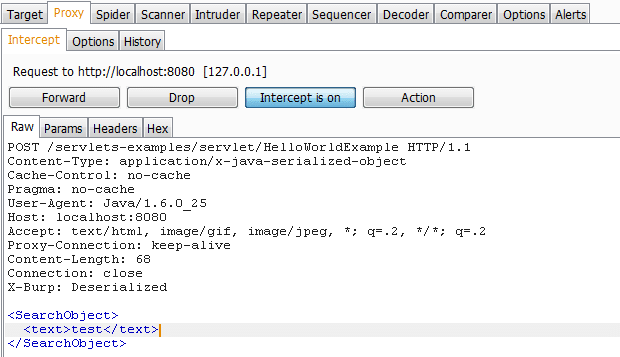

In this example, SSN is included in the response, but not shown in the client.


The plugin also has support for serializing requests/responses from XML to Java format. This may come in handy in case you need to bypass client check or enable hidden features of the client. Below is an example of how to do this
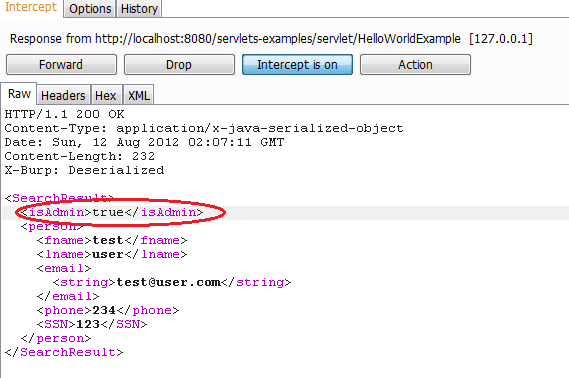
The source code and executable are available at: https://github.com/khai-tran/BurpJDSer.
Feel free to leave comments there. Thanks to Scott and Antti for your feedback on the tool.
You may also want to check out other tools of the same category:
Happy hacking!

In Part 2 of the series, Weylon covers how to use ForceHound to visualize Salesforce attack paths in BloodHound CE, identify transitive privilege escalation, and legacy Connected App exposures.
Discover how ForceHound automates the collection of profiles, permission sets, and connected apps to reveal the true trust boundaries of your Salesforce organization.

Discover the top critical vulnerabilities of 2026 identified by Team NetSPI and learn how proactive security measures can protect your strategic business initiatives.

NetSPI is the proactive security solution used to discover, prioritize, and remediate security vulnerabilities of the highest importance, so you can protect what matters most to you.
© 2026 NetSPI LLC.
